Go Green Transit
One desktop client. Every protocol.
A unified desktop FTP/SFTP/cloud client with bidirectional sync, scheduling, multi-step jobs, a localhost API, MCP server, and CLI for automation. SFTP, FTP, FTPS, WebDAV, SMB, NFS, S3, Backblaze B2, Azure Blob, Azure Files, GCS, Dropbox, Google Drive, OneDrive, and Box — all in one app.
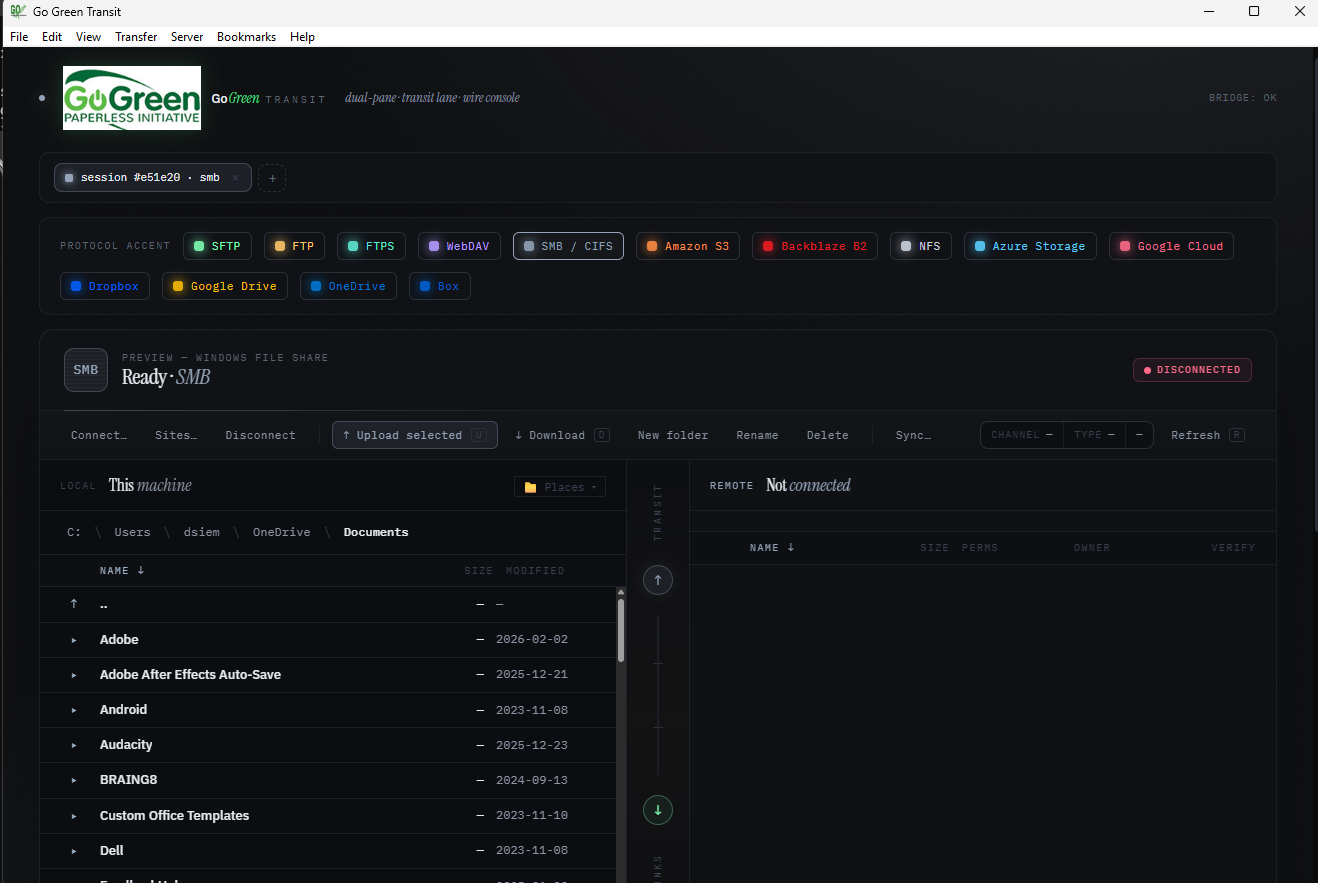
15 Protocols
SFTP, FTP, FTPS, WebDAV, SMB, NFS, S3, B2, Azure Blob, Azure Files, GCS, Dropbox, Drive, OneDrive, Box
Local-First Bridge
Bearer-token loopback REST + WS at 127.0.0.1:7878. Never reachable from the network.
API + MCP + CLI
Three programmable surfaces. Drive transfers from scripts, AI agents, or other apps.
Cross-Platform Desktop
Windows
Native MSI / installer with WebView2 runtime. Includes Send To shortcut installer for right-click upload. Per-domain SFTP user support via Windows Credential Manager.
macOS
Universal binary (Apple Silicon + Intel). Uses macOS Keychain for credentials. Detects iCloud Drive, Box, Dropbox, OneDrive, and Google Drive sync folders.
Linux
AppImage + .deb / .rpm. Uses libsecret / Secret Service for credentials. Headless ftproxy-bridge binary runs under systemd for unattended deploys.
Platform Features
15 Protocols, One Workflow
Stop juggling FileZilla for FTP, AWS Console for S3, the Dropbox client for sync, and a separate app for NFS. One desktop client for every storage backend you touch.
- SFTP (russh — pure-Rust, password & key auth, TOFU host-key trust)
- FTP / FTPS (active, passive, explicit/implicit TLS, resume support)
- WebDAV (Nextcloud, ownCloud, IIS)
- SMB / Azure Files (Windows shares + SMB-shape translation)
- NFS v3 / v4 (Amazon EFS, FSx OpenZFS, FSx ONTAP, Storage Gateway)
- S3 / Backblaze B2 / Azure Blob / GCS (native cloud SDKs, multipart resume)
- Dropbox / Google Drive / OneDrive / Box (OAuth + refresh, share-link generation)
- Local-sync mode for Dropbox / Drive / OneDrive / Box (zero OAuth)
Bidirectional Sync + Calendar
Recursive Mirror / Upload / Download against any dual-pane site, with overwrite-if-newer policy and Dry Run preview. Visual month-grid calendar shows every scheduled run.
- Mirror, Upload-only, Download-only sync directions
- Overwrite-if-newer policy with byte-level comparison
- Dry Run preview before any destructive sync
- Once / Daily / Weekly / Monthly recurrence with start & end dates
- Visual calendar surfaces every cron firing across every site
- Same engine drives manual sync and the scheduler — one code path
Multi-Step Workflows + Audit
Chain folder syncs, file syncs, waits, and webhook calls into one job. Every scheduled run, manual run, and batch step recorded with status, duration, and stats.
- Visual job builder with per-step config
- Fail-fast with per-step error history
- Waits, conditional steps, and webhook actions
- Audit trail filterable by site, status, time window
- Expand-on-click error details with stack traces
- Persistent across restarts — survives reboots and crashes
Programmable: API + MCP + CLI
Three programmable surfaces, one client. Drive transfers from scripts, AI agents (Claude, ChatGPT), or other apps — without a second binary.
- Bearer-token-gated REST + WebSocket bridge on 127.0.0.1:7878
- MCP server (Model Context Protocol) for AI assistants
- First-class CLI binary with full subcommand set
- Loopback only — never bind to public interfaces
- Per-token rate-limiting middleware (tower_governor)
- Prometheus /metrics endpoint for Grafana scraping
Security-First Storage
Passwords and OAuth tokens never touch disk in plaintext. SFTP host keys upgrade from TOFU to strict on first contact, with mismatch warnings.
- OS keychain credentials (Windows Credential Manager, macOS Keychain, libsecret)
- OAuth refresh-token rotation on Dropbox / Drive / OneDrive
- SFTP TOFU → strict known_hosts.json with mismatch modal
- FTP HASH / XMD5 / XSHA256 / XCRC integrity verification
- SFTP re-download verify (≤ 256 MiB)
- Loopback-only bridge — never reachable from the network
Cloud-Class Resume + Restore
Multipart resume on S3 / B2 with byte-offset continuation. Right-click any object to restore from Glacier, with storage-class pre-checks.
- S3 / B2 multipart upload with > 5 GB support
- OneDrive resumable upload-session for files > 4 MiB
- SFTP byte-offset Resume via download-to-offset
- Glacier restore right-click with storage-class pre-check
- Graceful fallback to overwrite where protocol resume isn't available
- Persistent transfer queue with interrupt-on-restart + Resume armor
Scheduled Jobs Without Cron
Replace ad-hoc shell crontabs with a calendar your coworkers can read. Headless `ftproxy-bridge` runs the same scheduler so transfers fire even when the GUI is closed.
- 5-field cron expressions (* / , supported)
- Optional gating windows (start_at / end_at)
- Headless bridge binary for Windows Task Scheduler / systemd
- Schedule history persisted with run results
- Per-site schedule attachment — delete the site, schedule cleans with it
- Auto-seed local-sync sites on first launch (Box / Dropbox / Drive / OneDrive)
Notifications + Webhooks
Slack, Discord, Telegram, and generic webhooks fire on schedule success or failure. Wire deploys to your CI without writing glue.
- Slack / Discord / Telegram destinations out of the box
- Generic webhook with HMAC-SHA256 signed payloads
- Event-driven triggers (schedule.success, schedule.failure, transfer.error)
- Webhook delivery logs and retry with exponential backoff
- Per-site notification preferences
- Integrates with the multi-step workflow builder as a step type
Per-Site Bandwidth Throttle
Throttle individual sites in KiB/s. Two concurrent sessions can have independent caps via a tokio task-local — no global lock contention.
- Per-site bandwidth limit input in the Site Form
- Wired through extras.bandwidth_kib (0 / empty = unlimited)
- User-visible log line on connect when a cap is active
- Multi-tab sessions hold independent caps simultaneously
- Background scheduler runs in a separate slot — won't starve the active tab
- Live-resizable global concurrency semaphore for parallel transfers
Site Manager + Imports
Bulk import from FileZilla / WinSCP / PuTTY / CoreFTP / SmartFTP / CuteFTP. Group sites by protocol, search, color-coded by auth status.
- FileZilla XML import
- WinSCP + PuTTY registry import (Windows)
- CoreFTP, SmartFTP, CuteFTP legacy imports
- Per-site folder bookmarks for fast remote nav
- Color-coded protocol palette (15 distinct accents)
- Folder grouping in the Site Manager (FileZilla-style optgroup)
Edit With… + Quick Preview
Right-click → open in your default editor. File-watcher auto-uploads on every save. Inline preview of text, code, images, PDFs, plus hex dump for unknown binaries.
- Open remote files in $EDITOR / VS Code / Notepad++ / etc.
- FS watcher uploads on save with 4-hour TTL
- Quick preview capped at 5 MB (no 4 GB log misclicks)
- Hex dump for unknown binaries
- PDF / image / syntax-highlighted code preview
- SSH command exec endpoint (POST /sftp/exec) + UI modal
Local-Sync Mode for Cloud Drives
Dropbox / Google Drive / OneDrive / Box — connect via the desktop sync folder, no OAuth required. Auto-detected on first launch.
- Auto-detect %USERPROFILE%\Box, OneDrive, Dropbox, Drive folders
- macOS CloudStorage scan + ~/Library/Mobile Documents (iCloud)
- First-launch auto-seed: missing local-sync sites created automatically
- Respects user deletes — auto-seed won't recreate what you removed
- Custom protocol templates (drop JSON in templates dir for Wasabi / IDrive e2 / MinIO variants)
- Switch between cloud OAuth and local-sync modes per site
Supported Protocols
Tech Stack
Modern File Transfer for Every Cloud
One desktop binary replaces FileZilla + the AWS Console + the Dropbox client + a separate app for NFS. Bidi sync, scheduled jobs, and a programmable bridge — all built in.